Overview
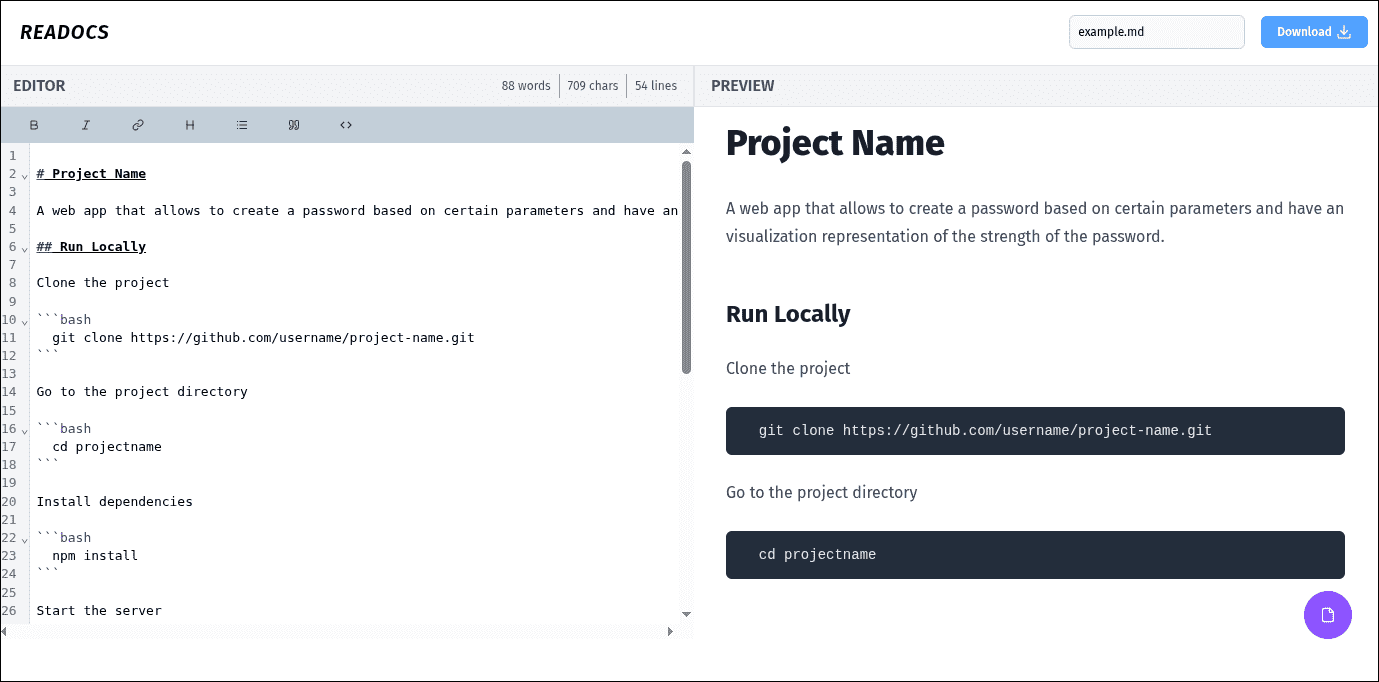
A lightweight, browser-based Markdown editor that provides a seamless writing experience with real-time preview. Built with modern React architecture, featuring CodeMirror 6 for editing and a comprehensive template system for quick documentation creation.
Key Features
- Live Preview: Instant Markdown rendering with GitHub Flavored Markdown support
- Syntax Highlighting: CodeMirror 6 powered editor with Markdown-specific highlighting
- Template System: 8 predefined templates for different documentation types
- Format Toolbar: Quick formatting buttons for common Markdown syntax
- Auto-save: Persistent storage using localStorage
- Export: Download documents as .md files
Technical Highlights
Frontend Architecture
Built with React 19 and TypeScript following Feature-Sliced Design principles. The application uses Zustand for lightweight state management with persistence middleware for auto-saving to localStorage.
Editor Implementation
Powered by CodeMirror 6, providing a modern editing experience with:
- Markdown syntax highlighting
- Line numbering
- Customizable themes
- Bidirectional state synchronization
Markdown Rendering
Uses react-markdown with multiple plugins:
- remark-gfm for GitHub Flavored Markdown (tables, task lists, strikethrough)
- rehype-raw for embedded HTML support
- rehype-sanitize for security
- rehype-starry-night for code block syntax highlighting
Challenges & Solutions
Challenge 1: State Synchronization
Keeping the editor and preview in sync while maintaining performance was critical. Implemented Zustand with optimized re-renders and debounced updates to ensure smooth typing experience.
Challenge 2: Template System UX
Designing an intuitive template selection system required careful UX consideration. Created a modal-based interface with clear categorization and instant preview of template content.
Results
- Instant preview rendering with zero lag
- Auto-save functionality prevents data loss
- 8 comprehensive documentation templates
- Clean, distraction-free writing interface
- Real-time document statistics (words, characters, lines)
What I Learned
This project enhanced my understanding of:
- Advanced state management patterns with Zustand
- CodeMirror 6 API and extension system
- Markdown processing pipelines with remark/rehype
- Browser storage APIs and data persistence
- Feature-Sliced Design architecture